
Mission Reports & Data Exports
Generating FAA / EASA compliance PDF reports, CSV telemetry dumps, and incident documentation.
3 min readUpdated October 2026
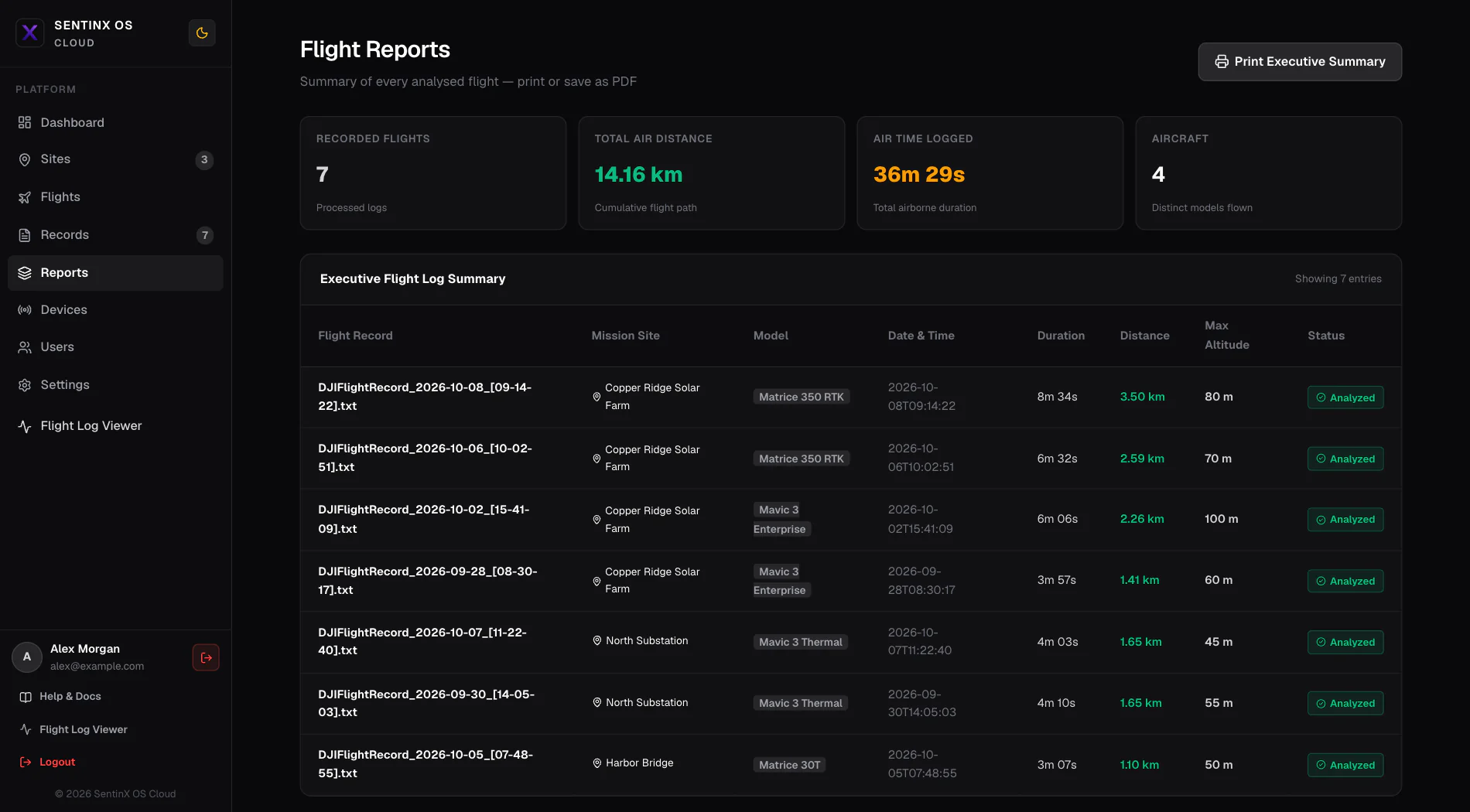
Compliance Report Generator#
SentinX OS generates formal documentation for regulatory compliance (FAA Part 107, EASA Open/Specific categories, DGCA).
Report Generation Steps:
1
Select a flight in the Flights Table or DJI Log Viewer.
2
Click "Generate Report".
3
Configure report parameters:
Include Trajectory Map Snapshot
Include Peak Sensor Statistics
Include Pilot Incident Bookmarks
Include Battery Health Curve
4
Click "Download PDF".
Executive PDF Report Structure#
Header: Organization name, operator credentials, site location, and flight date.
Flight Summary: Duration, distance, maximum altitude, peak velocity, takeoff/landing coordinates.
Airframe Diagnostics: Aircraft model, serial numbers, firmware version.
Visual Evidence: Rendered high-resolution flight track map.
Incident Chronology: List of all timestamped annotations and warning alerts.
Raw CSV & GeoJSON Exports#
In addition to PDF reports, operators can export normalized CSV telemetry files containing all decoded sensor channels (10Hz / 50Hz frequency) for external analysis in Python, MATLAB, or ArcGIS.