
Interactive Timeline & Playback Scrubbing
Scrubbing controls, variable speed playback, keyboard hotkeys, and event jumping.
3 min readUpdated October 2026
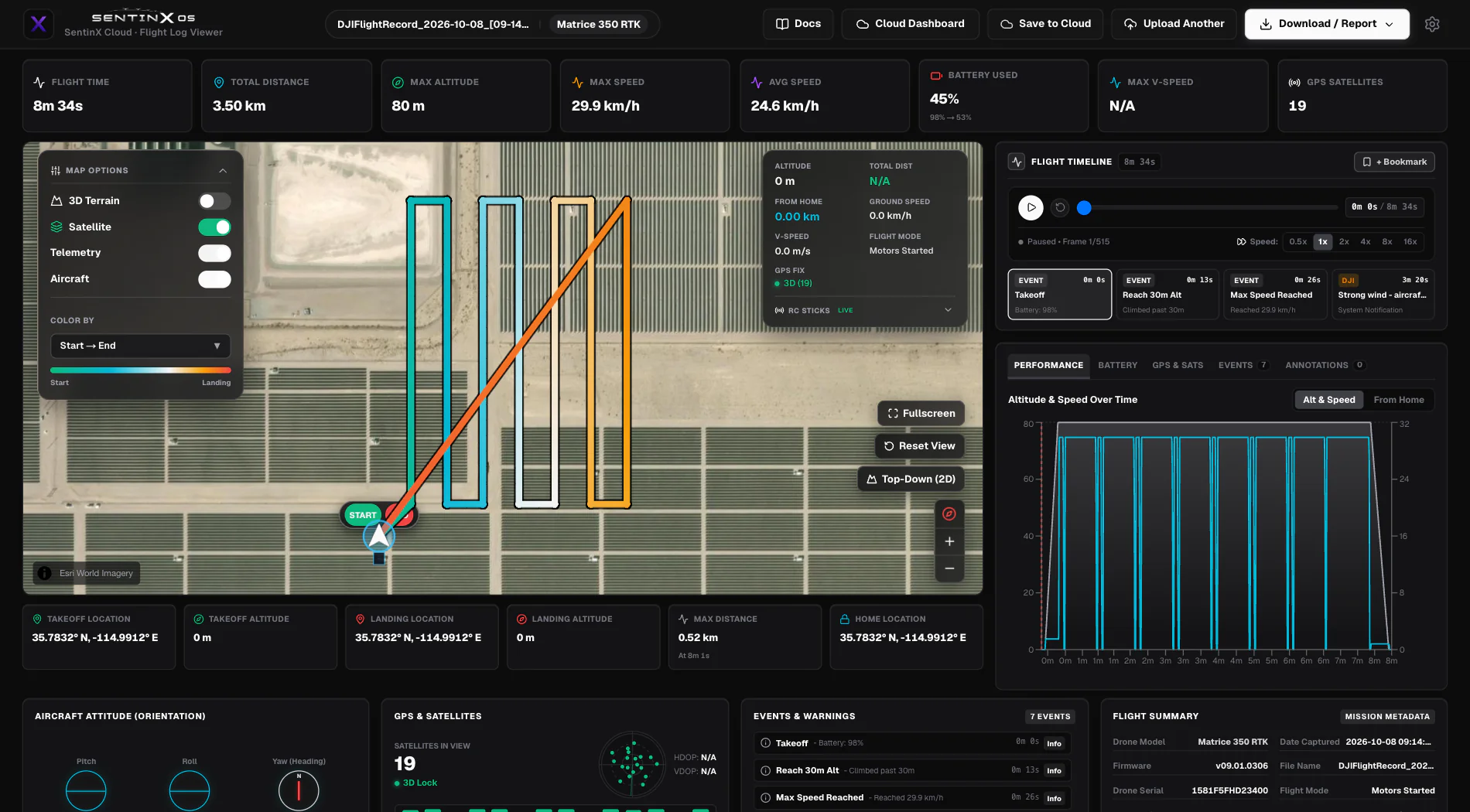
Timeline Control Architecture#
The bottom playback bar provides full mastery over the flight duration:
Progress Track: High-resolution scrub bar showing elapsed time vs total flight time.
Speed Selector:
0.5x, 1x, 2x, 4x.Time Display: Formatted as
MM:SS / Total MM:SS.Keyboard Navigation Shortcuts#
| Shortcut | Action |
|---|---|
Space | Play / Pause flight playback |
← (Left Arrow) | Step backward 1 second |
→ (Right Arrow) | Step forward 1 second |
Shift + ← | Jump backward 10 seconds |
Shift + → | Jump forward 10 seconds |
Home | Reset to start of flight (00:00) |
End | Jump to landing point |
Jumping Between Critical Events#
Warning markers (such as Low Battery or High Wind alerts) appear as colored notches on the timeline. Clicking any notch immediately jumps the player to that timestamp.