
Multi-Flight Synchronized 3D Replay
3D spatial WebGL replay of up to 4 simultaneous flights with multi-speed controls and HUD.
5 min readUpdated October 2026
3 HOTSPOTS
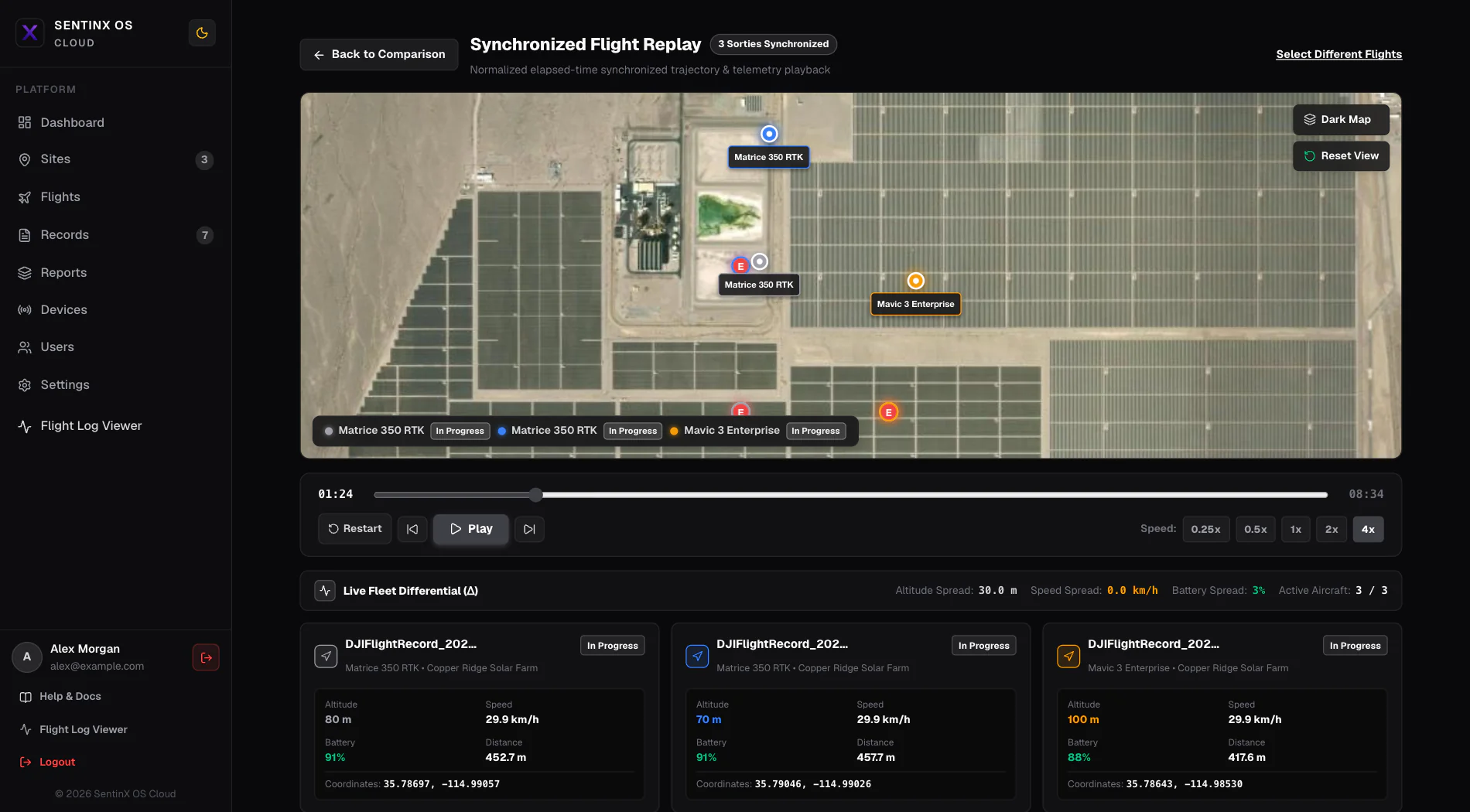
1Shared map
Each aircraft moves along its own route, colour-coded per flight.
2Playback controls
Play, step and scrub at 0.25x to 4x on a normalised elapsed-time timeline.
3Per-flight readouts
Live altitude, speed, battery and distance for each aircraft.
3D WebGL Replay Engine#
The Synchronized 3D Replay room renders up to 4 aircraft simultaneously in a 3D geo-spatial coordinate space powered by WebGL2 and Deck.GL.
3D Trajectory Ribbons: Each flight trajectory is drawn as an illuminated 3D path with altitude elevation extrusions.
Color-Coded Airframes: Each drone is assigned a distinct color (Cyan, Amber, Purple, Emerald) with live position markers.
Terrain & Map Layers: Switch between Satellite imagery, Dark tactical vector map, and Street navigation.
Playback Speed & Scrubbing Controls#
Speed Modifiers: Supports
0.5x (slow-motion analysis), 1x (real-time), 2x, and 4x (high-speed debrief).Interactive Timeline Scrubber: Drag anywhere on the master timeline to jump all aircraft simultaneously to that exact second.
Play / Pause / Loop: Keyboard shortcuts:
Space to Play/Pause, ← / → to step 1 second backward/forward.Multi-Airframe Camera Tracking#
Free Flight Camera: Orbit (Right-Click + Drag), Pan (Left-Click + Drag), and Zoom (Scroll).
Follow Drone Mode: Click any drone in the legend to lock the 3D camera to that airframe's position and heading.
Real-Time Synchronized Telemetry Feed#
As playback advances, the HUD displays synchronized telemetry for the active airframe:
Current Speed, Altitude, Pitch, Roll, Yaw, Satellite count, and Battery %.